Total War: WARHAMMER II – Catchweb Spidershrine DLC Amazon Prime Gaming CD Key
Total War: WARHAMMER II

Release date
March 12, 2023
Age rating
PEGI 16
Regional limitations
Region free
Developers
Publishers
Genres
Action Strategy
Platform
Epic Games
Languages
English

Description

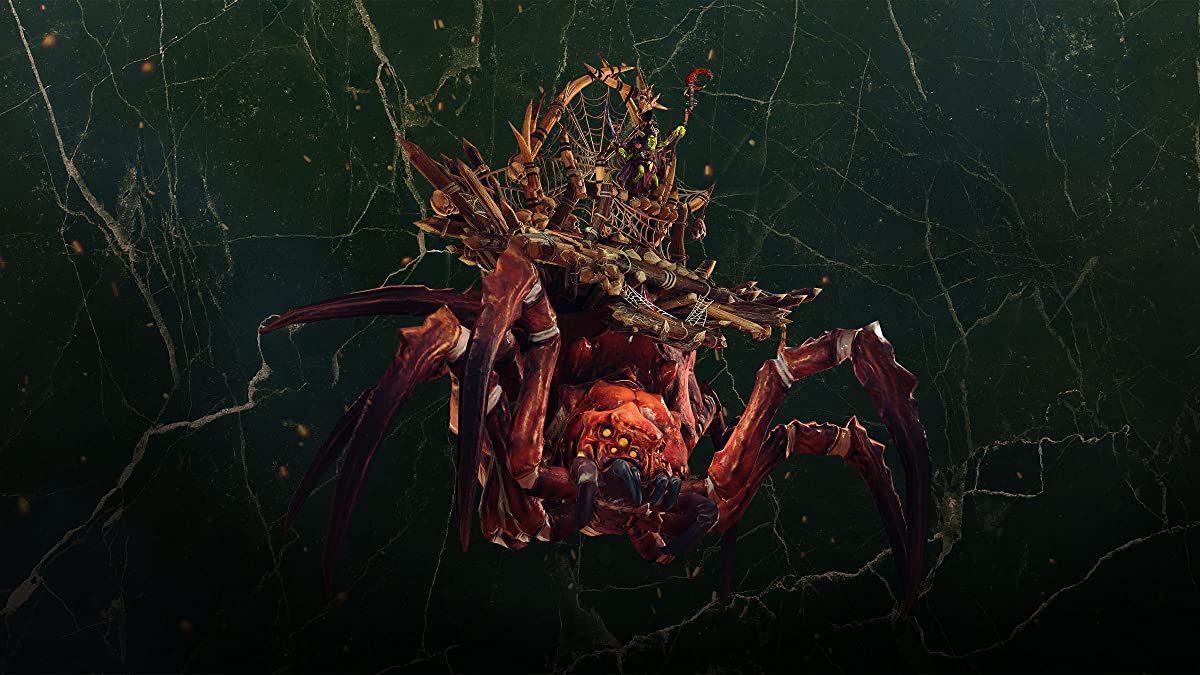
Includes: Catchweb Spidershrine DLC The Catchweb Spidershrine mount for the Goblin Great Shaman gives you a cost reduction for spellcasting as well as reducing spell cooldowns. Total War: WARHAMMER II is a strategy game of titanic proportions. Choose from four unique, varied factions and wage war your way – mounting a campaign of conquest to save or destroy a vast and vivid fantasy world. This is a game of two halves – one a turn-based open-world campaign, and the other intense, tactical real-time battles across the fantastical landscapes of the New World. Play how you choose – delve into a deep engrossing campaign, experience unlimited replayability and challenge the world in multiplayer with a custom army of your favorite units. Total War: WARHAMMER II offers hundreds of hours of gameplay and no two games are the same.

Activation details

Click on the link provided with the code to download the game. Download all the setup files into the same folder. Install the game and activate it with your code. FAQ: Why should I download the game before activating it by using the key? You are activating the key and then downloading files from online gaming platforms like Steam. This game is not connected to any other gaming platform, so in order to activate it, you have to download game files first and then use the key in game itself. When I am trying to download the game I got an error that one of the files is corrupted. Re-download the files on a stable internet connection and try to install the game again. During installation, I see an error that some of the game files are missing. Make sure that you haven't changed the name of any of the downloaded files, and files are in the same folder. During installation, I am asked to insert a disk. This means that you are missing some of the installation files. Make sure that all downloaded files are in the same folder. During installation I got an error "Setup ended prematurely". Install the game with administrator rights (right-click and run as administrator). I am trying to download the files, but I got an error "404 Not Found". Try using a different web browser to download the files. I downloaded all files in the same folder, installed the game, but I cannot run it. Launch the game with administrator rights (right-click and run as administrator). I cannot select language during the installation. You can change the language in the game after it is installed. Information that the key is invalid is displayed when I am trying to activate the key. Make sure that you are activating the key in the game itself. I deleted some files after the game was installed and now I cannot download it once again. Uninstall the game from the Programs located in Control Panel and download the files.

Reviews

Reviews

There are no reviews yet.

Only logged in customers who have purchased this product may leave a review.

Avatar Mobile
Main Menu x
X