
Fallout 76 – Lunchtime Bundle DLC Windows 10 CD Key

Description
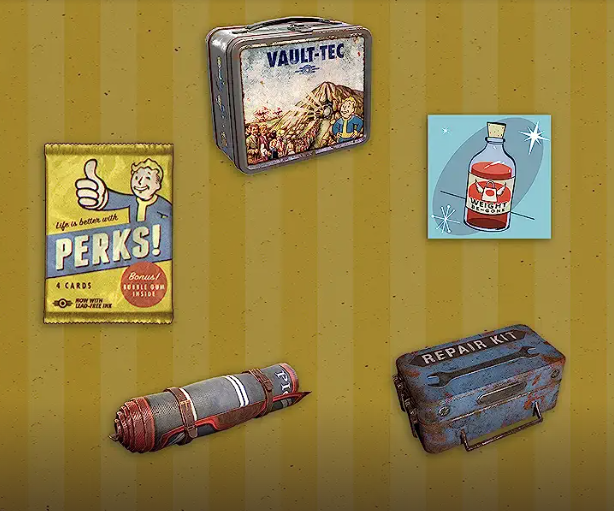
Includes: Perk Packs x5 Repair Kits x5 Carry Weight Boosters x5 Lunchboxes x5 Scout’s Banners x5 Prepare to face the dangers of the Wasteland with these useful tools for survival and unlock new perks with Perk Packs.
System requirements
Windows
OS: Windows 10 version 18362.0 or higher (64-bit) Graphics: NVIDIA GTX 780 3GB/AMD Radeon R9 285 2GB or equivalent Processor: Intel Core i5-6600k 3.5 GHz /AMD Ryzen 3 1300X 3.5 GHz or equivalent Memory: 8 GB Video Memory: 2 GB Input: keyboard, mouse, Xbox controller or gamepad
Activation details
IN THE XBOX APP ON WINDOWS Press the Start button, and then enter Xbox into the search bar. Choose the Xbox app from the results to open the app. Select your gamerpic, and then select Settings. Select Redeem under Redeem a code. Enter the 25-character code, select Next, and then follow the prompts. IN THE MICROSOFT STORE ON WINDOWS Press the Start button, and then enter store into the search bar. Choose Microsoft Store from the results to open the app. Select your account in the top-right corner of the screen, and then select Redeem code or gift cards. Enter the 25-character code, select Next, and then follow the prompts. FROM A PC OR MOBILE WEB BROWSER Follow this link, enter the 25-character code, select Next, and then follow the prompts.
Reviews
Only logged in customers who have purchased this product may leave a review.







Reviews
There are no reviews yet.